
The same paperwork. Less retyping.
Let AI help read documents and prepare entries. Your team checks the details before using them.
 Purchase order → draft for review
AI ERP helps read documents, prepare data and summarise work, so your team can review and decide more easily.
Receive a purchase order and keep the original.
ERP brings business records such as sales, inventory and accounting into one system. AI adds ways to read, summarise and act on that information. What a product can do depends on its data, connected tools and allowed actions.
Use these examples to plan a test with the actual product before choosing a system.
Let AI help read documents and prepare entries. Your team checks the details before using them.
Purchase order → draft for reviewUse stock levels and sales history to help review which products need attention.
 Stock data → items to review
Summarise sales and expenses while keeping the source information available to check.
Reports → points for the owner to reviewStart with what you need to do with your data. Some ERP systems already automate tasks, and some AI chat tools connect to other software.
Use this as a guide for questions. Actual capabilities depend on the product and plan.
Map where your data lives, who uses it and where it needs to go. Then choose between file imports and a direct connection.

Review file structure and the data to migrate.

Identify source tables and access permissions.

Define request channels and approval tasks.
Examples of existing business tools, not a guarantee of integrations on every plan. We review APIs, data formats and permissions with you first.
Which data may AI read or change?
Which tasks need a person to confirm?
Retain sources and a history of actions.
Samoe is UPLIFT’s product built around Co-work Agent ERP: people and AI working together on business data. Start with a task you want to improve, then review a demo and the supported scope with us.
Book a Samoe demoReview available modules and integrations in a demo before choosing a plan.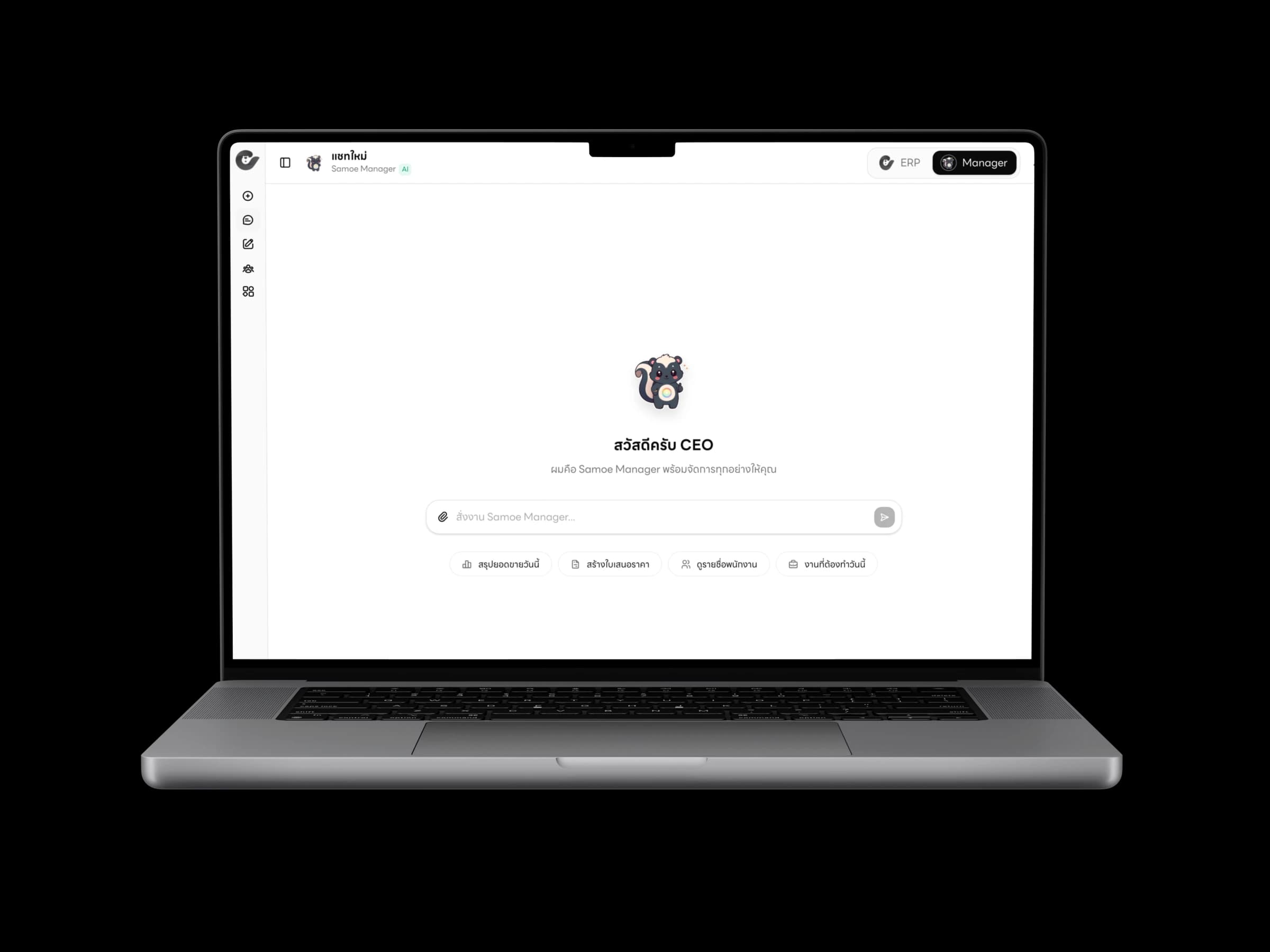
 Samoe Manager interface
Choose repeatable work. Record time spent and common issues so you have something to compare.
Check data quality, permissions and results with the people who do the work before expanding.
Compare time, accuracy and corrections. Use what you learn to choose the next task.
Consider subscriptions, modules, users, integrations, migration and AI usage. Ask for an itemised scope and current quote to compare total costs.
An agent uses tools to help complete tasks. An Agent Harness provides the surrounding structure: tools, permissions, context and checks. AI ERP applies these capabilities to business operations. Agent count alone does not tell you whether a product is right for your work.
This is Samoe’s own product framework, not an industry certification: L0 has no AI, L1 is conversational, L2 supports agent tasks, L3 describes agents working with people, and L4 is a vision for organisation-wide coordination. Evaluate real demonstrations and supported workflows when choosing a product.
Questions worth asking before choosing AI ERP.
It depends on the current system and the work you want to improve. Some tasks can start with file imports or APIs; others require process changes or migration. Review the existing system’s constraints first.
AI ERP focuses on business operations and system records. General AI chat focuses on conversation and content assistance. Both may connect to tools, so check actual tasks, data access and approval flows.
AI can misread documents or summarise information incorrectly. Assign reviewers and approvals, especially for money, stock and personal data. Keep source records available for comparison.
Bring a sample workflow, a list of current tools and example documents with sensitive information removed. Explain the problem and who will use the system so the demo reflects your work.
Ask about storage, AI providers, model-training terms, permissions, action history, deletion and export. Review the terms for the plan you are considering.
Check each product and module. Request a demonstration of the documents and processes your business needs, including integration boundaries. AI alone does not guarantee support for every accounting task or tax standard.
It depends on data readiness, connected systems and scope. Start by testing one small task, then plan migration and expansion based on the results.
Tell us where your team spends its time. We’ll help you explore a practical starting point.
Talk to UPLIFT